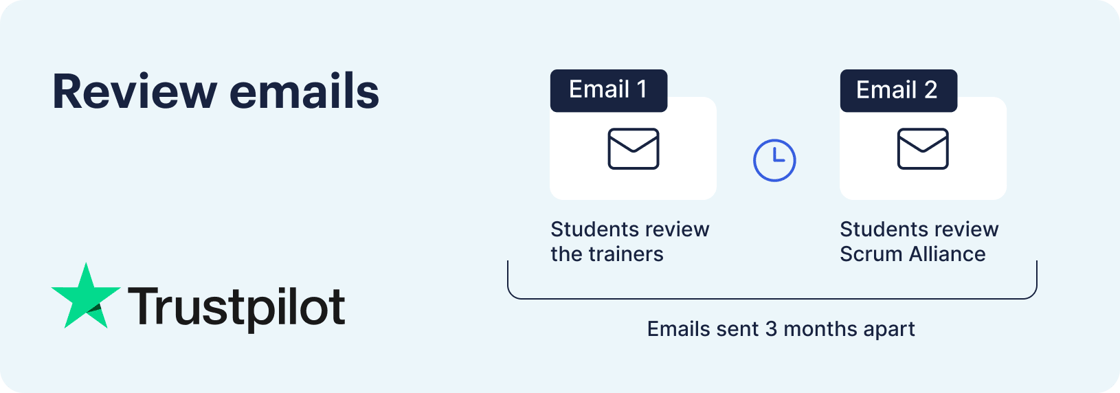
Scrum Alliance uses Trustpilot for students to leave a review about both their trainer and their experience with Scrum Alliance. These review invitations are sent once a student is activated for a credential after attending a course.
How students are invited to leave a review for their trainer
- After activating students for a credential, they should quickly receive the invitation from Trustpilot to leave a review about their training experience. The email subject line is "Rate your Scrum Alliance course: We want to hear from you!" and will come from the email address noreply.invitations@trustpilotmail.com.
- Email invitations are typically delivered within several minutes after being activated.
- Students will not receive this invitation if they've previously unsubscribed or had their email address mistyped.
- In the email body, there will be a link called "Rate now" that directs students to the Trustpilot website to leave their review.
- Since this is a special link for each student, it cannot be shared with others for users to directly leave a review for a trainer.
- Students may choose how they enter their name for the review. Trainers and training companies are unable to see the email address associated with the review.
- The student will then be prompted to leave a star rating along with written feedback about the trainer.
- After the review is submitted, the trainer teaching the course will receive a notification via email (if enabled). This review will only appear on trainers' course listings and not on the Scrum Alliance Trustpilot page.
- Based on the certification or microcredential taught, the review will only appear for upcoming course listings for that specific credential. For example, if the review was left for a Certified ScrumMaster (CSM) course, the review will only appear for upcoming CSM courses.
Submitting a review through your Scrum Alliance dashboard
Students can submit a review for their training experience on their Scrum Alliance dashboard by doing the following:
- Log into your Scrum Alliance Dashboard
- While on the Dashboard tab, scroll down to the section labelled Message center
- Look for the notification labelled Trustpilot Review Invitation and select View Details
You'll then be redirected to the Trustpilot website where you can submit a review for your trainer.
How students are invited to leave a review for Scrum Alliance
- Unlike reviews for trainers, the invitation for students to leave feedback about Scrum Alliance will be delivered three months after being activated. The email subject line is "Rate your Scrum Alliance experience: Your feedback matters!" and will come from the email address noreply.invitations@trustpilotmail.com.
- In the email body, there will be a link that takes students to the Trustpilot website to leave their review where they'll be prompted to leave a star rating and written feedback.
- After the review is submitted, this review will appear on the Scrum Alliance Trustpilot page.